This document is deprecated! The information on this page refers to a Thesis version that is now obsolete. Please visit the Thesis Docs for current documentation.
With the Thesis Multimedia Box, you’re not just limited only to rotating images or adding custom code with a hook – here’s how to “widgetize” the Multimedia Box so that you can add a WordPress Widget to it, just like you can with sidebars.
First, set the Multimedia Box’s Default Settings (under Thesis Design Options) to Custom code.
Then, you’ll need to register a new “sidebar” named Multimedia Box – the following code, placed in your custom_functions.php file, will take care of that:
register_sidebar(array(
	'name' => 'Multimedia Box',
	'before_widget' => '<li class="widget %2$s">',
	'after_widget' => '</li>',
	'before_title' => '<h3>',
	'after_title' => '</h3>'));

function multimedia_box_widgets() {
	echo '<ul class="sidebar_list">';
	dynamic_sidebar('Multimedia Box');
	echo '</ul>';
}
add_action('thesis_hook_multimedia_box', 'multimedia_box_widgets');
Once you’ve added the code, go to your WordPress Dashboard, and then to Appearance > Widgets – you should see the new widget area on the right, and then you can drag your desired widget to it:
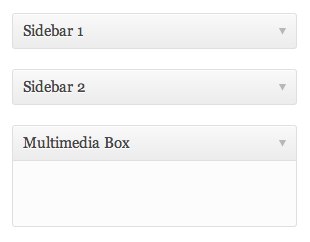
New Multimedia Box Widget Area